Icon of program: gTalk Sidebar

gTalk Sidebar for Windows

  • Free
  • 3.1
    6
  • 71.3K
  • V0.4
Free Download for Windows

View an ad to download for free

Use Gtalk from the sidebar in Firefox

In case you don't know, Gtalk is Google's IM tool which you can use with your Google account as login. Gtalk was conveniently embedded in Gmail a while ago, so that you can chat with your friends while checking the email.

Top Recommended Alternative

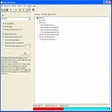
Now, gTalk Sidebar embeds Gtalk into the browser so that you can keep on chatting even if you close the Gmail webpage. This Firefox extension displays Gtalk in the browser's sidebar, where you can see your contact list and start chatting right away.

What's more, you can easily jump between different chat windows thanks to tab support. The program also includes a nice set of emoticons.

gTalk Sidebar can also be used in a pop-up window by clicking on the "Pop out" link, although if you do that in the middle of a conversation it won't show up in the pop-up window.

Also, another weird behaviour in gTalk Sidebar is the fact that it opens a new browser window for you to log into your Google account, instead of letting you log from the sidebar itself.


  • Pros

    • Very convenient
    • Nice emoticons
  • Cons

    • Pop-up window doesn't include on-going conversation
    • You must log into Google in a new browser window
 0/4

App specs

  • Developer

    • Visit Website
  • License

    Free

  • Version

    0.4
  • Latest update

  • Platform

    Windows

  • OS

    Windows XP

  • Language

    English

  • Downloads

    71.3K

    Last month's downloads

    • 6
  • Size

    2.84 KB

Program available in other languages


Icon of program: gTalk Sidebar

gTalk Sidebar for PC

  • Free
  • 3.1
    6
  • 71.3K
  • V0.4
Free Download for PC

View an ad to download for free


User reviews about gTalk Sidebar

3.1

1 reviews

Add review

Main reviews for you

  • Anonymous user

    Excellent addon.. Easy to use. I like it! But the reminding feature is not so convenient.

More

You may also like

Explore Apps

Latest articles

Laws concerning the use of this software vary from country to country. We do not encourage or condone the use of this program if it is in violation of these laws.
Softonic

Is gTalk Sidebar safe?

100/100

Score result: Clean

This file passed a comprehensive security scan using VirusTotal technology. It is safe to download.

  • Virus free
  • Spyware free
  • Malware free
  • Verified by Security Partners

    VirusTotal logo

Scan Info

Last scan
Tuesday, December 26, 2023
Scan provider
VirusTotal · Full report

File Integrity

File
gtalk_sidebar-0.4-fx.xpi
SHA256
eabe0199ad71cd4873d5df3f060c664b3094d264b000fe4fdec60d49d0d6e02a
SHA1
857542be4e3d7b03e0d33ee9d13c6728717d2150

Softonic security commitment

gTalk Sidebar has been thoroughly scanned by our advanced security systems and verified by industry-leading partners. This file comes from the official developer and has passed all our security checks, showing no signs of viruses, malware, or spyware. For more information, visit our Security and Trust Center

Signed in to Softonic as